Do you feel like your computer takes up too much room? Mini desktop PCs deliver full performance in a tiny case that makes work and play easier. Imagine a desktop under 2 L that handles everyday tasks effortlessly. They combine solid performance with low cost, showing that small size does not mean weak power. With a design that fits on any desk, these systems let you enjoy a neat setup without giving up strength.
Why Mini Desktop PCs Are the Ultimate Space-Saving Solution
Mini desktop PCs offer full desktop power in a tiny case, usually under 2 L. They are perfect if you need a strong computer that takes up very little space.
These PCs handle everyday tasks like browsing the web, writing documents, and streaming videos. You get all the performance you need without a bulky design.
Most mini PCs come with Windows 11 Pro, but many choose to install Linux to meet their needs. This flexibility lets you pick the right system for your work. Plus, many models include a 3-year limited warranty and free shipping, which helps ease long-term worries.
They work well in many settings, whether at the office, in your living room for home entertainment, or for light creative projects. Their small size does not stop them from offering full-size ports, so you can easily connect monitors, keyboards, and more without clutter. Some models even let you mount them behind a monitor using VESA, keeping your desk tidy.
Imagine a designer setting up a dual-monitor editing station with a mini PC quietly tucked behind the screens. This example shows how mini PCs combine high performance with a space-saving design, making them a smart choice for anyone with limited space but high computing needs.
Performance Benchmarks for Ultra-Small PCs

Ultra-small PCs deliver impressive power in a very compact size. These devices come in many forms. Some feature budget-friendly options with an Intel Celeron N5095, while others boast high-end performance with an Intel Core Ultra 9 285H or an AMD Ryzen 9 7940HS. Budget models work well for everyday tasks like browsing, creating documents, or streaming videos. Meanwhile, gaming machines like the Asus ROG NUC (2025) run smooth gameplay at over 60 fps in 1080p when paired with an NVIDIA GeForce RTX 5070 Ti. And if you need more than gaming, AI-ready options like the Minisforum MS-S1 Max can handle up to 126 TOPS, which is great for running heavy local AI workloads.
Memory choices range between 8 GB and 64 GB. You can also pick from single or dual M.2 SSD slots, with sizes up to 3 TB. This lets you focus on speed or choose a larger drive for extra space. Networking is strong too, with dual 2.5 GbE ports and Wi-Fi 6/7, which keeps data transfers fast and steady even when the tasks are heavy.
| Model | Processor | GPU | Key Benchmark Result |
|---|---|---|---|
| Asus ROG NUC (2025) | Intel Core Ultra 9 275HX | NVIDIA GeForce RTX 5070 Ti | 60+ fps at 1080p |
| Minisforum MS-S1 Max | AMD Ryzen-based AI module | Integrated AI accelerator | 126 TOPS for LLM |
| Entry-Level Model X | Intel Celeron N5095 | Integrated Graphics | Optimal for everyday tasks |
| GEEKOM GT15 Max AI | Intel Core Ultra 9 285H | Integrated AI module | 99 TOPS AI performance |
Each ultra-small PC is built for different needs. Whether you need a machine for basic tasks, high-end gaming, or even complex AI work, there is a model that fits the bill. These systems are compact, powerful, and offer great value for many types of users.
Top Budget Micro Workstations Under $600
When you're watching your spending, these mini desktop PCs show that low cost doesn't mean low power. They deliver the basic performance you need for everyday work, creative projects, or light multitasking.
-
GEEKOM A6 Mini: This model comes with an AMD Ryzen 7 6800H, 32 GB RAM, and a 1 TB SSD, and it costs around $500. It handles heavy tasks and multitasking, making it a strong pick for creative work.
-
GMKtec G10: Powered by a Ryzen 5 5600H processor with 16 GB RAM, a 512 GB SSD, and dual LAN at 2.5 Gb, this mini PC is priced at $450. It works smoothly for office tasks and daily computing.
-
GEEKOM Mini Air11: With an Intel Celeron N5095, 8 GB RAM, and a 256 GB SSD, this model is just $250. It's perfect for basic computing and streaming media.
-
GMKtec NucBox M5 Plus: Featuring an AMD R-series CPU with 16 GB RAM, it runs smoothly for about $400.
-
GEEKOM A5 Pro (2026): This mini PC uses a Ryzen 5 7530U and is priced around $600. It can handle demanding tasks even on a tighter budget.
Imagine a freelancer juggling multiple projects while keeping costs low, these machines make that possible.
High-Powered Mini Machines for Gaming and Content Creation

Gaming Performance
The Asus ROG NUC (2025) packs an Intel Core Ultra 9 275HX paired with an NVIDIA RTX 5070 Ti, delivering smooth gameplay at 60–90 fps on 1080p screens. The Minisforum AtomMan G7 PT, powered by an Intel i9-13900H, handles popular AAA games on medium settings with ease. It’s surprising how such a compact PC can rival larger machines in gaming strength.
Content Creation and AI Capabilities
The Framework Desktop is a great choice for content creators. It comes with a Ryzen AI Max+ 395 processor and supports up to 128 GB of unified memory, making it ideal for editing 4K videos and managing heavy workloads. The GEEKOM GT15 Max AI, equipped with an Intel Ultra 9 285H, delivers 99 TOPS for AI tasks, perfect for running smart machine learning models and creative design software.
Unified Connectivity and Specifications
Each model offers a variety of connectivity options like several USB ports, dual LAN, and reliable Wi-Fi. This makes it easy to set up for both gaming and professional work.
| Model | CPU / Processor | Graphics/Performance | Key Feature |
|---|---|---|---|
| Asus ROG NUC (2025) | Intel Core Ultra 9 275HX | NVIDIA RTX 5070 Ti, 60–90 fps (1080p) | High-end gaming performance |
| Minisforum AtomMan G7 PT | Intel i9-13900H | Runs AAA titles on medium settings | Compact gaming solution |
| Framework Desktop | Ryzen AI Max+ 395 | Optimized for 4K video editing | Extended memory up to 128 GB |
| GEEKOM GT15 Max AI | Intel Ultra 9 285H | 99 TOPS for AI and ML tasks | Suitable for creative design and ML |
Energy Efficiency and Acoustic Performance of Mini Desktop PCs
Mini PCs use low-TDP processors (6–35 W) to cut down on energy use while still offering good performance. Many models have smart cooling systems that keep noise under 35 dBA during normal work. For instance, some fanless designs run silently, which is great if you need a quiet workspace. However, these designs might slow down the processor when used heavily for long periods.
These systems also do well with standby power. At idle, some mini PCs use as little as 6 W, which saves energy when you're not putting them to work. When they face heavy tasks, power draw can range from around 30 W in basic Intel Celeron models to up to 150 W in high-end mini desktops with RTX graphics. Think of a mini PC that ramps up power when you need it most and eases off during everyday browsing. This mix of energy savings and low noise helps these compact devices fit your needs without too much fan noise, even when running performance tasks.
Connectivity and Expansion in Mini Desktop PCs
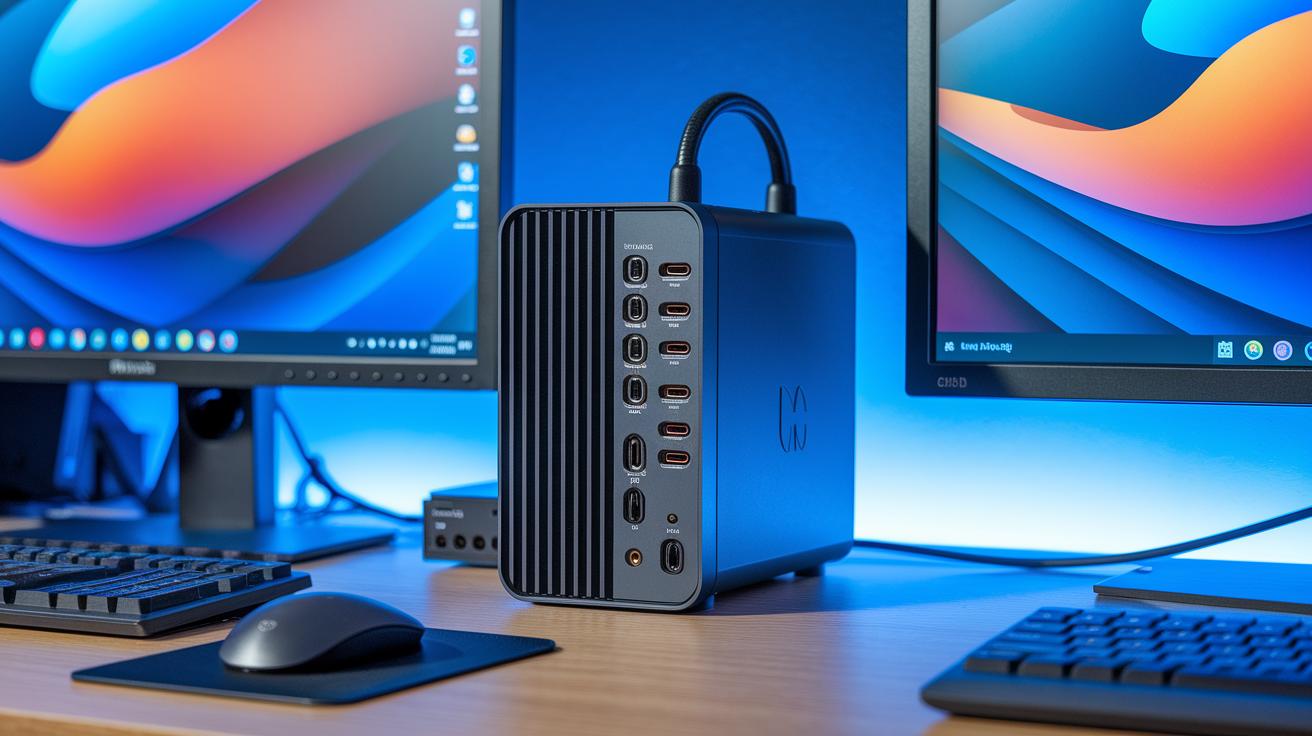
Modern mini desktop PCs come loaded with many connectivity options despite their small size. They usually offer ports such as USB4 (40 Gbps), USB 3.2 Gen 2 Type-A/C, HDMI 2.1, DisplayPort 1.4, and audio jacks. This mix of ports lets you easily connect keyboards, mice, monitors, and storage devices. For instance, one top mini PC can run four monitors at once while transferring data very quickly.
Higher-end models take things further by adding extra ports and features. They may include OCuLink (PCIe 4.0 x4) for fast data transfers, dual 2.5 GbE for steady internet, Wi-Fi 7 for smooth streaming, and Bluetooth 5.2 for linking wireless accessories. This means you can have several demanding devices working together at the same time without lag.
Many models also feature M.2 slots for NVMe SSD upgrades, which help speed up boot times and app launches. Some barebones versions even have full-sized PCIe slots to allow even more expansion later on.
- USB4 (40 Gbps) and USB 3.2 Gen 2 Type-A/C for flexible connectivity
- HDMI 2.1 and DisplayPort 1.4 to support external screens
- Dual 2.5 GbE, Wi-Fi 7, and Bluetooth 5.2 to boost networking and device pairing
- M.2 NVMe SSD expansion and optional full-sized PCIe slots for further upgrades
Every connectivity feature adds convenience while keeping the compact design that makes these PCs perfect for both home and office use.
Space-Saving Designs and Customization Options
Barebones vs Prebuilt Kits
Barebones kits let you pick your own parts like RAM, storage, and more. This DIY option is great if you want to build a mini PC tailored to your work and budget. Prebuilt models come ready to use so you can simply unbox and start right away. Barebones kits offer flexibility and a personal touch, while prebuilt units deliver quick, hassle-free setup.
Mounting and Aesthetic Customization
Many mini PCs support VESA-mount, which means you can install them behind your monitor to keep your desk clear. Higher-end models often feature RGB lighting, swap-out panels, and modular I/O shields, letting you change the look of your system. Chassis sizes usually range from 0.5 L to 3 L, so even powerful machines fit in tight spaces. This lets you choose a design that suits your workspace, whether you want a sleek, simple setup or a vibrant, personalized look.
Choosing the Right Mini Desktop PC for Your Needs

When picking a mini desktop PC, start by thinking about the kind of work you do. If you mostly browse the web and work on documents, an Intel Celeron should be enough. But if you edit videos, join video calls, or run many apps at once, you will want a stronger CPU like an Intel Core Ultra or an AMD Ryzen 7/9. For quicker start-up times and faster app loads, choose a model with an NVMe SSD instead of a regular drive.
Memory matters too. We recommend at least 8 GB of RAM for daily tasks. If you plan to use heavier apps or switch between many tasks, go for 16 GB or more. This helps keep your computer running smoothly.
Next, check the connectivity options. Look for up-to-date ports such as USB4, dual monitor outputs, and a good Ethernet port. These features let you connect your devices easily without a cluttered desk.
Your budget will also shape your choice. Office setups usually cost between $200 and $400. If you need a system for media editing, prices often fall between $500 and $700. For gaming or advanced AI tasks, expect to spend over $800.
Key decision factors include:
- CPU performance based on your workload
- Memory: minimum 8 GB, 16 GB or more for heavy multitasking
- Fast storage with NVMe SSD
- Modern connectivity: USB4, dual monitor outputs, Ethernet
- Budget that fits office work, media editing, or gaming needs
Using these tips will help you find a mini PC that meets your personal or business needs.
Final Words
In the action, we explored how mini desktop pcs pack full desktop performance into a compact design. We covered everything from performance benchmarks and budget models to energy efficiency and connectivity options.
The post broke down key specs, customization, and mounting choices while guiding you on matching budget with needs. It offered real-world data and easy comparisons to help with a smart, low-risk purchase decision. Enjoy the flexibility and power of these space-saving machines!
FAQ
What is the best mini PC for gaming?
The mini PC for gaming blends compact size with dedicated graphics for playing 1080p games. It delivers solid performance for light to moderate gaming while saving space.
What operating systems do mini PCs offer?
The mini PC with Windows 11 or Windows 10 gives users a full desktop experience. Many models now come with Windows 11 Pro, while others still run Windows 10 or even Linux.
Are there mini PCs available for under $100?
The mini PC under $100 targets basic computing needs. While budget models handle web browsing and media streaming well, they may not support high-demand workloads.
Do mini PCs perform as well as full-sized desktops?
The mini PC performs well for standard tasks like browsing and document editing. They pack full desktop functionality in a compact design but might lack the upgradeability of larger desktops.
Which brand is best for a mini PC?
The mini PC brand choice depends on user needs. Brands such as Asus, Gigabyte, and Minisforum are popular for their performance, design, and reliability in compact systems.
What downside does a mini PC have?
The mini PC downside is its limited upgrade options and potential thermal constraints under heavy loads. These factors might affect prolonged, high-demand performance compared to larger desktops.
What are mini PCs commonly called?
The mini PCs are commonly called mini desktop PCs or micro desktops. These names highlight their compact design and ability to deliver full desktop functionality in a small space.