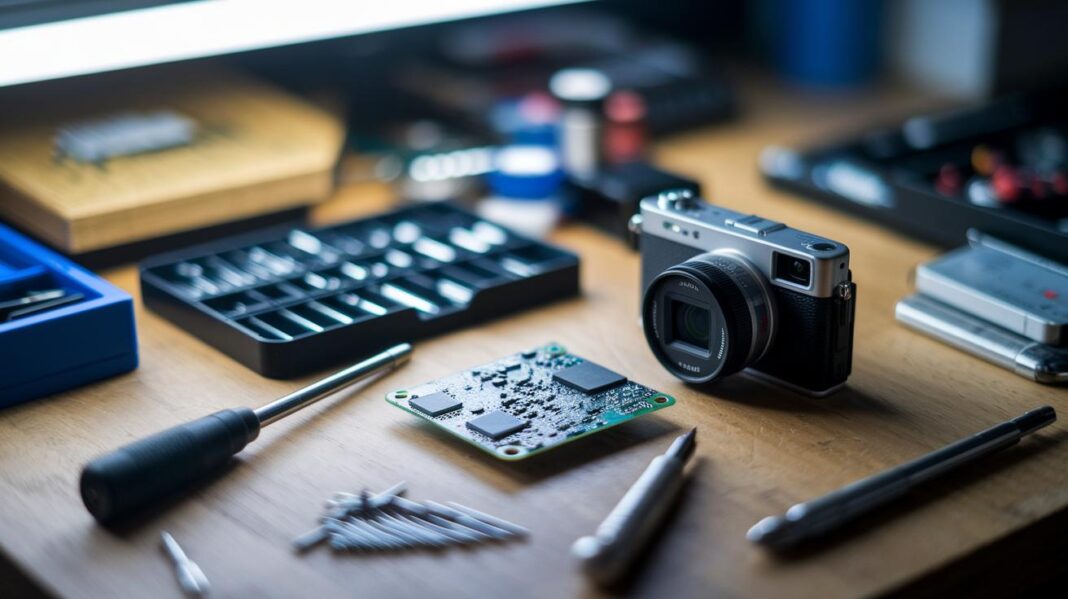
Ever had your action camera let you down at the worst moment? When you need a fast fix, knowing the basics can save both your footage and your day. In this guide, we show you easy steps to check for battery problems, recording issues, display faults, and connection errors. You'll learn how to use simple tools like a multimeter (a device that measures electrical current) to test each part one by one. These repair tips help you get back to capturing your adventures quickly and efficiently.
Action Camera Repair Diagnostics: Identifying Common Issues
First, check the battery and power system. Look closely at the battery compartment for any wear or damage. If the battery is swollen or the connectors look rusty, it’s a clear sign that you need a replacement. Use a multimeter (a tool that measures electrical voltage) to test the battery’s output. A low or failed reading shows that the battery is dead, a fix you can often handle by swapping in a new cell.
Next, troubleshoot recording issues. Make sure the memory card is correctly in place and properly formatted. A loose or misinserted card can cause recording errors. If your camera is not saving photos or videos consistently, remove the card, reinsert it, and try a different card if you have one. We once solved a persistent recording glitch in seconds just by reseating the memory card.
Then, examine the display for problems. Check the screen for visible cracks or spots that do not respond when touched. Toggle between different display modes to see if the screen works correctly. If the screen stays static or shows faint images, it could mean a failing component or a loose internal connection.
Lastly, address wireless and connectivity errors. Verify that the Wi-Fi settings are set up correctly. If the camera struggles to pair with your device, restart the wireless module or perform a soft reset. Also, inspect any data cables for damage. As a safety check, look at the moisture-indicator sticker inside the battery compartment. If it shows signs of water, that moisture could be causing connection issues.
Follow these steps one by one to pinpoint the problem. Mark each step as you complete it. This methodical approach helps you address the easy fixes first, saving both time and money before considering more advanced repairs.
Essential Tools for Action Camera Repair

A reliable repair kit starts with quality tools that protect your action camera during delicate work. A high-quality Phillips #00 screwdriver and a Torx T5 screwdriver are a must for removing small screws without stripping them. For example, a good Phillips driver keeps the screw head intact, making tasks like replacing a battery cover much easier. Using replacement screws that match the original parts is vital, as cheap substitutes can break or not line up properly, which might lead to costly repairs.
You also need a spudger to gently pry apart parts without scratching the casing. A dependable spudger helps you open cases smoothly, especially when dealing with tight seals around the lens. Pairing this with ESD-safe tweezers and an anti-static wrist strap is essential to avoid static discharge that can harm your camera’s internal circuitry. Building your toolkit gradually with quality tools not only boosts your skills but also reduces the risk of damaging sensitive components.
| Tool | Description |
|---|---|
| Phillips #00 Screwdriver | Handles small, delicate screws common in camera assemblies. |
| Torx T5 Screwdriver | Keeps specialized screws safe from stripping. |
| Spudger | Helps separate components without causing scratches or damage. |
Other must-haves include replacement screws, ESD-safe tweezers, and an anti-static wrist strap. Quality tools not only improve repair precision but also protect your camera from further harm.
Fixing Battery and Power Issues in Action Camera Repair
Replacing a battery is one of the easiest do-it-yourself fixes, even if you lack model-specific guidance. First, clean the battery contact points. Use a soft brush and a dry cloth to wipe away dust and any corrosion. A clean contact ensures a strong connection and stable power. For example, a simple cleaning of the battery contacts can boost connectivity so the camera powers up right away.
Next, grab a multimeter (a tool that measures electrical voltage) to check the battery’s output. Set the multimeter to the right setting and attach the leads to the battery terminals. If the voltage reads lower than it should, the battery is likely failing. This quick test helps pinpoint power issues in no time.
After checking the voltage, disconnect the power leads and firmly reconnect them. This step fixes loose connections that might cause the camera to shut off unexpectedly. Sometimes, simply reseating the power leads is enough to restore proper function.
If the battery still shows low voltage, consider replacing any worn-out cells with a new, compatible battery. Make sure the replacement fits securely and the contact points are clean before using it.
By cleaning contacts, testing voltage, and reseating leads, you can quickly fix power issues and get your action camera up and running again.
Repairing Lens and Housing Damage for Action Camera Repair

Minor scratches on your lens might look okay, but deep marks can create glare and blur your images. Check your lens under a strong light, like direct sunlight or a bright lamp, to spot any odd light reflections.
Gently wipe the lens with a soft microfiber cloth to remove any dust without causing more scratches. If you see early signs of fungus or mold, mix equal parts hydrogen peroxide and water. Use a lens tissue to dab the solution lightly in small circles. This careful method cleans the lens without over-wetting it.
For cracked lens covers or housing panels, you will need to replace the damaged pieces with original parts. Remove any loose bits using a spudger and ESD-safe tweezers. Make sure to clean off any remaining adhesive to help the new part stick firmly. A clean repair not only fixes the problem but also keeps your camera weather resistant.
Work in a bright, clean space to avoid more contaminants. Keep your tools handy, like a Phillips #00 screwdriver, a Torx T5 screwdriver, and an anti-static wrist strap. Taking a careful, step-by-step approach helps you fix the damage without causing more issues.
Troubleshooting Hardware and Firmware Issues in Action Camera Repair
First, check for hardware problems. If your camera won’t save files or has recording glitches, look at the memory card, battery, and cables. For example, unplugging and reconnecting a cable might clear the error. Try these steps:
- Make sure the memory card isn’t corrupted.
- Remove and reinsert any cables to ensure a firm connection.
- Turn the Wi-Fi off, wait a few seconds, and then turn it back on to test the connection.
Next, fix firmware and software issues. A soft reset (a quick restart) may clear small glitches, but it might not solve deeper issues. If the problem persists, a factory reset can help, though it will erase your custom settings. Also, check for any available software updates. Try this:
- Do a soft reset if the camera fails to record properly.
- Perform a factory reset if the soft reset doesn’t work (remember to back up your settings first).
- Look in the camera’s settings menu to find the latest firmware update and follow the instructions closely. Many have found that after an update, the camera runs smoother with no recording errors.
This step-by-step approach separates hardware from software fixes for clear and effective troubleshooting.
Maintenance and When to Consult Professional Action Camera Repair Services

Taking care of your camera helps it work better for longer. Wipe it down with a microfiber cloth after exposure to dust or sand and store it in a cool, dry place. Using lens covers and waterproof cases on outdoor trips stops moisture and debris from causing damage. For example, after a day at the beach, a quick cleaning can save your photos.
Keep your camera up to date with regular firmware updates. These updates fix small glitches and make your gear more stable. Here are some simple tips to follow:
- Clean your camera after use, especially in dusty or sandy spots.
- Use lens protectors and waterproof cases on outdoor adventures.
- Store your camera in a cool, dry area.
- Install firmware updates as soon as they are released.
If you see problems like irregular screen behavior, internal hardware issues, or signs of water damage (for example, condensation inside the lens), it is best to get help from a professional repair service. Ignoring such issues, especially water damage, can lead to more corrosion and higher repair costs.
Final Words
In the action, we covered how to diagnose common faults, build a solid toolkit, and tackle battery issues safely. We walked through repairing lens damage and troubleshooting recording, connectivity, and software glitches. We also touched on maintenance steps and when to seek a professional repair. These action camera repair tips guide you through practical fixes that save time and money while keeping your device in top shape. Keep experimenting with these clear steps and enjoy your improved action camera performance.
FAQ
What do action camera repair tips on Reddit suggest?
The Reddit community highlights using trusted tools and following detailed steps for diagnosing battery, lens, and connectivity issues to safely tackle common action camera faults.
How do Nikon action camera repair tips differ?
Nikon repair tips focus on verifying battery contacts and cleaning lenses. They also suggest using official service guides when tackling recording or connectivity issues unique to Nikon models.
How can I use online resources for camera repair?
Online camera repair guides offer step-by-step instructions covering power issues, software resets, and lens cleaning. These resources help you understand diagnostics and safe repair practices.
How can I repair a mobile camera?
Repairing a mobile camera involves checking for dirty lenses, resetting the camera app, and inspecting internal connections. Online tutorials offer clear guidance on addressing these common problems.
How do I fix my camera on my phone?
Fixing your phone camera starts with cleaning the lens, ensuring software updates, and resetting settings. If issues persist, professional repair services may be the safest route.
How can I learn camera repair?
Learning camera repair requires studying basic diagnostics, practicing with proper tools, and following online tutorials. This builds skills for identifying and fixing common issues like battery or lens problems.
How do I fix a digital camera that won’t turn on?
Fixing a non-responsive digital camera involves checking the battery connection, cleaning contacts, and testing voltage with a multimeter. These steps help pinpoint and resolve power issues.
How can I fix a camera screen?
Fixing a camera screen involves replacing any cracked coverings or cleaning display connectors. Detailed guides explain how to safely disassemble and reassemble components to restore screen function.
Is it worth repairing cameras?
Repairing cameras can be cost-effective when repair expenses are lower than buying new. Routine fixes often extend a camera’s life if proper diagnostic methods and quality parts are used.
How do I become a certified camera repair technician?
Becoming a certified camera repair technician involves taking formal training courses, gaining hands-on practice, and obtaining certification through recognized programs to build trust with clients.
How can I make a camera work again?
To make a camera work again, start by diagnosing power, lens, and firmware issues. Clear troubleshooting steps like testing the battery and cleaning components can often revive the device.
What are common camera problems?
Common camera problems include battery failure, dirty or scratched lenses, unresponsive buttons, and faulty screens. Simple diagnostics and careful handling often resolve these issues effectively.